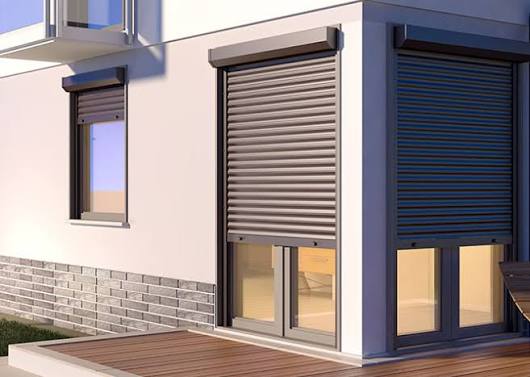
When the roller shutter is still working properly, it makes losing a remote quite frustrating. This is a good time to note that many of today’s motorised shutters will allow the pairing of a different remote unit with the existing motor. This is a fairly straightforward process as well but the exact steps may vary based on the motor and remote you’re using.
If you have window roller shutters in Melbourne, find out the brand of your motor and remote before trying to pair a new control.
First, Test the Remote, and Motor
You may then wonder why not every remote works with every motor. Even remotes that appear to be the same may operate on different frequencies or use different programming systems.
Inspect the manufacturer’s label, proceed to get the user manual, or model number. The motor info can also be found in the shutter housing or on the original remote.
Prior to doing so, ensure that the power supply for the shutter is secure. A weak remote battery also will prevent pairing from being successful.
Set the Motor to Programming Mode
Most systems require the motor to enter some kind of programming or a learning state while providing itself with a new remote.
The exact method varies. A few motors utilize a programming button on the remote, while others highlight a button on the engine or collector.
Common steps may include:
- Holding down programming button
- Waiting for the motor to jog (or move slightly)
- Pushing a button on the updated remote
- Waiting for the next movement to confirm pairing
Always be careful with these steps as they may not work on every system. Follow the instructions for your motor.
Pair the New Remote
After the motor enters learning mode, press the corresponding button on the new remote. In some, it is just a short press; in others, it needs to be pressed for several seconds.
You will notice a slight movement of the motor confirming that it has recognised the remote.
For roller shutters in Craigieburn, keep the remote with you as close to the receiver during setup. This helps getting rid of the communication issues.
Test the Shutter
Then test every feature available after pairing. Verify that the shutter goes up, then stops and returns down.
If the remote has separate buttons for up/down/left/right, confirm each button directs the cursor in its intended direction.
If shutter acts strange, do not press buttons over and over. You may influence the programming or limits of the motor unintentionally.
What if the Remote Doesn’t Work?
Here are a few problems that may hamper a successful pairing:
- Either the motor is not compatible with the remote
- The battery is dead or is in a bad orientation
- Power not flowing to the motor
- The programming sequence is incorrect
- There is a fault at the receiver or control unit
Change that battery, go through the pairing process with the manufacturer and try again once.
In situations where your window roller shutters in Melbourne not responding at all even after doing the above-mentioned activity, it is better for seeking professional assistance instead of performing the reset process repeatedly.
When to Call a Professional?
If you can’t find the motor model, the remote fails to pair or the shutter misbehaves after programming it then get in touch with a certified technician.
For roller shutters in Craigieburn, the technician can inspect the motor, control system, the receiver, and still program a compatible remote without touching the existing shutter settings.
Final Thoughts
Settings vary by system, but to pair a new remote is often easy. As always be sure that they are compatible and follow the manufacturers recommendations.
If pairing the remote has failed after many careful attempts, don’t try out sequences of codes as you do not know which devices may be connected to them. It will save a lot of time and also eliminate the possibility of making a mistake in altering motor settings.